Why Security Cameras Matter for Multi-Unit Buildings
Security is consistently ranked among the top priorities for residents when choosing an apartment or condo. A well-designed camera system deters criminal activity, provides evidence when incidents occur, and gives both residents and property managers peace of mind. For building owners, it also protects a significant real estate investment.
67%
Of renters say building security influences their decision to lease
Beyond deterrence, modern camera systems offer operational benefits that extend well beyond traditional security. They help property managers monitor common area usage, verify maintenance and cleaning schedules, manage deliveries, and investigate insurance claims. When integrated with a building's network infrastructure, cameras become part of a comprehensive smart building ecosystem.
However, deploying cameras in a multi-unit residential setting is more complex than in a commercial or single-family context. Privacy expectations are higher, legal requirements are stricter, and the scale of deployment demands enterprise-grade equipment and thoughtful planning.
Camera Types for Multi-Unit Buildings
Choosing the right camera hardware is the foundation of an effective security system. Different areas of a building have different requirements, and a one-size-fits-all approach rarely delivers optimal results.
Dome Cameras
Dome cameras are the most common choice for indoor common areas such as lobbies, hallways, and elevator cabs. Their discreet, tamper-resistant design blends into ceilings without creating an overly surveilled atmosphere. Modern dome cameras offer wide-angle lenses that can cover an entire corridor with a single unit.
Bullet Cameras
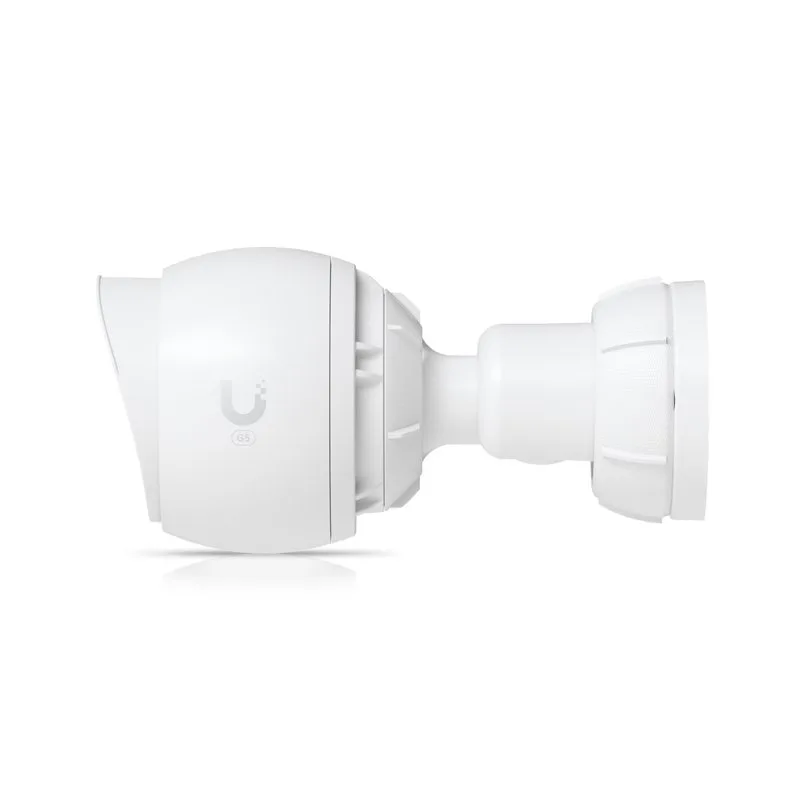
For exterior applications — parking lots, building entrances, loading docks — bullet cameras are typically preferred. Their elongated housing accommodates longer-range lenses and is often rated for harsh weather conditions. High-quality bullet cameras can capture clear images at distances of 30 metres or more, even in low-light conditions.
PTZ (Pan-Tilt-Zoom) Cameras
PTZ cameras are ideal for large open areas like underground parking garages or expansive courtyards. They can be remotely controlled to pan across a wide area, tilt to different angles, and zoom in on specific details. Some models offer automated tracking that follows movement within their field of view.
The UniFi Protect Platform
At Morse Media, we deploy Ubiquiti's UniFi Protect as our preferred camera management platform. UniFi Protect offers enterprise-grade capabilities at a fraction of the cost of traditional commercial surveillance systems, with no recurring licence fees.
$0
Monthly software licence fees with UniFi Protect
The platform runs on a local Network Video Recorder (NVR) housed in your building's network closet. This NVR processes and stores all camera feeds locally, ensuring fast performance and complete data sovereignty. Property managers and authorized staff access live and recorded footage through a polished web interface or mobile app.
Key features of UniFi Protect that make it ideal for MDU deployments include motion-triggered smart detection that distinguishes between people, vehicles, and animals; customizable recording schedules and retention policies; role-based access control so different staff members see only what they need; and seamless integration with the broader UniFi network ecosystem.
Because UniFi Protect integrates natively with UniFi networking equipment, camera deployment can leverage the same managed network infrastructure that provides resident internet and building WiFi. This unified approach reduces complexity, lowers costs, and simplifies ongoing management.
Cloud vs. Local Storage
One of the most important decisions in camera system design is where footage is stored. Both cloud-based and local storage have merits, and the right choice depends on your building's specific requirements.
Local Storage (NVR-Based)
Local storage keeps all footage on-premises, typically on a dedicated NVR with redundant hard drives. This approach offers complete control over your data, eliminates monthly cloud storage fees, and ensures footage is accessible even if the building's internet connection goes down. For most MDU applications, local storage is the preferred approach.
Cloud Storage
Cloud-based systems upload footage to remote servers, providing off-site backup and remote access without on-premises hardware. However, cloud storage comes with ongoing subscription costs that can be substantial for multi-camera deployments. It also raises data sovereignty questions, as footage may be stored on servers outside of Canada.
Legal Considerations and Privacy Laws
Operating security cameras in a residential building in Canada requires careful attention to federal and provincial privacy legislation. The consequences of non-compliance can include regulatory action, fines, and reputational damage.
Under the Personal Information Protection and Electronic Documents Act (PIPEDA), security camera footage constitutes personal information when individuals can be identified. Property managers must establish a legitimate purpose for surveillance, limit recording to areas where privacy expectations are lower, and implement appropriate safeguards for stored footage.
In Quebec, the Act respecting the protection of personal information in the private sector imposes additional obligations. Property managers must post clear signage indicating that surveillance is in operation, establish a written policy governing camera use and footage retention, designate a person responsible for privacy compliance, and respond to access requests from individuals captured on camera.
Best practices include limiting footage retention to 30 days (unless a specific incident requires longer preservation), restricting access to authorized personnel only, maintaining an access log, and conducting periodic privacy impact assessments.
Network Integration
Modern IP-based camera systems run on the same network infrastructure that provides internet and WiFi throughout your building. This convergence offers significant advantages but requires thoughtful network design to ensure that camera traffic does not degrade the resident internet experience. The same network can also support smart intercom and access control systems and IoT leak detection sensors.
Proper network integration involves deploying cameras on a dedicated VLAN (Virtual Local Area Network) that is logically separated from resident traffic. This isolation ensures that camera bandwidth consumption — which can be substantial with multiple high-definition streams — does not compete with residents' internet usage. It also adds a layer of security by preventing unauthorized access to camera feeds from the resident network.
Power over Ethernet (PoE) further simplifies deployment by delivering both data connectivity and electrical power through a single cable. This eliminates the need for separate power outlets at each camera location, reducing installation complexity and cost. PoE switches can be centrally managed alongside the rest of the network infrastructure.
To explore how security cameras integrate with a broader smart building strategy, visit our smart building solutions page.
Planning Your Deployment
A successful camera deployment starts with a thorough site assessment. Our team walks the building with you to identify high-priority areas, evaluate lighting conditions, plan cable routing, and determine optimal camera placement. The goal is comprehensive coverage with the minimum number of cameras needed to eliminate blind spots.
Typical coverage priorities for multi-unit buildings include: all building entrances and exits, lobby and main reception areas, elevator cabs and elevator lobbies on each floor, parking garages and bicycle storage, mail and package rooms, amenity spaces such as gyms and lounges, and loading docks or service entrances.
We provide a detailed proposal that includes camera count and placement maps, equipment specifications, network infrastructure requirements, storage capacity and retention calculations, ongoing maintenance and support terms, and a complete cost breakdown.
Whether you are retrofitting an existing building or planning a new construction project, Morse Media can design a camera system that integrates seamlessly with your building's network and smart building infrastructure. Learn more about our smart building solutions or reach out to discuss your building's specific security needs.
Ready to Generate Revenue?
Get a free building analysis and discover how much you could generate.